
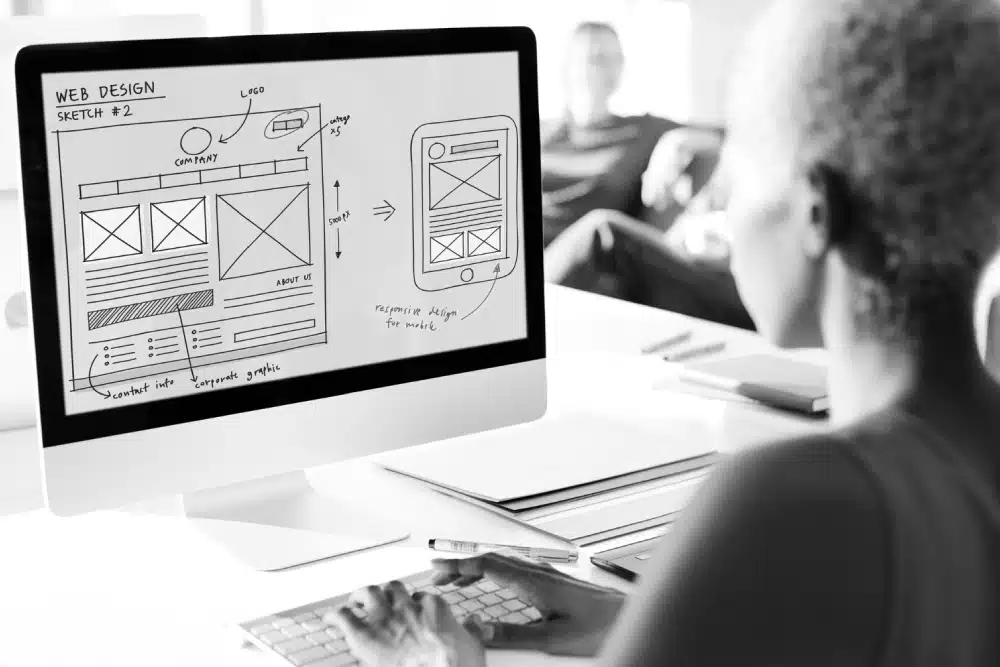
Are you planning a new business website but unsure which features are essential for attracting customers and generating enquiries? Want to make sure your website is professional, easy to use and equipped with the functionality your business actually needs?
This infographic highlights 10 essential features every business website should have, helping you understand what to prioritise when choosing a website design package and planning your new online presence.
Here’s a summary of what’s covered:
- Mobile-Friendly and Responsive Website Design
- Clear and Easy-to-Use Website Navigation
- Fast Website Loading Speeds
- Professional Design and Consistent Branding
- Clear Calls to Action Throughout the Website
- Simple and Accessible Contact Options
- Search Engine Optimisation Features
- Secure Website Hosting and SSL Encryption
- Easy-to-Use Content Management System
- Website Analytics and Performance Tracking
Check out the post below for more.
Introduction
A professional business website needs to do much more than look attractive. It should provide visitors with a positive experience, communicate your services clearly and make it easy for potential customers to take action. Whether someone discovers your business through Google, social media or a recommendation, your website often plays an important role in their decision to contact you. The features included in your website can influence how visitors interact with your business and whether they feel confident enough to make an enquiry or purchase.
When comparing website design packages, it can be difficult to distinguish between genuinely useful functionality and features that simply sound impressive. Some providers promote advanced animations, interactive elements and complicated design options, while overlooking basic requirements such as mobile usability, loading performance and straightforward navigation. Although specialist functionality can be valuable for certain businesses, the most important website features are often those that make the experience easier, faster and more reliable for everyday visitors.
Understanding which features matter most will help you make better decisions when buying a new website. It allows you to compare web design companies more effectively, prioritise your budget and avoid paying for unnecessary additions. A well-designed website should combine professional presentation with practical functionality that supports your customers and business objectives. This guide explores 10 essential features every business website should consider and explains how each contributes to a more effective online presence.
Mobile-Friendly and Responsive Website Design
Mobile-friendly design is one of the most important requirements for a modern business website. Potential customers regularly browse websites using smartphones and tablets, often while travelling, comparing services or looking for local businesses. If your website is difficult to read or navigate on a smaller screen, visitors may leave before discovering what you offer. Responsive website design helps prevent this by automatically adapting page layouts, images and other elements to suit different screen sizes and devices.
However, responsive design involves more than simply making everything fit on a mobile screen. Text needs to remain readable, buttons should be easy to select and important information must be accessible without unnecessary effort. Navigation menus, contact forms and calls to action should work comfortably on touchscreen devices. A professional web design company should consider these requirements throughout development rather than treating mobile compatibility as an additional feature. A consistent experience across devices makes your website more accessible and convenient for potential customers.
- Ensure your website automatically adapts to smartphones, tablets and desktop computers
- Use readable text sizes and layouts that work comfortably on smaller screens
- Make navigation menus, buttons and contact forms easy to use on touchscreen devices
- Test important pages and functionality across different devices before launch
Clear and Easy-to-Use Website Navigation
Website navigation helps visitors find the information they need without becoming frustrated or confused. When someone arrives on your website, they should quickly understand where to find your services, business information and contact details. A clear navigation structure makes browsing more straightforward and encourages visitors to explore relevant pages. Complicated menus, unclear labels and excessive navigation options can create unnecessary obstacles, particularly for people who are unfamiliar with your business or services.
The best navigation systems are usually simple, logical and consistent throughout the website. Main menu items should use familiar descriptions that visitors immediately understand, while related pages should be grouped appropriately. For businesses offering several services, dropdown menus or dedicated overview pages can help organise information without overwhelming users. Important pages should also be accessible through relevant links within the website’s content. Effective navigation improves usability and helps potential customers move naturally from researching your services to making an enquiry.
- Use clear menu labels such as Home, About Us, Services and Contact Us
- Organise related pages into logical categories that are easy to understand
- Keep important information accessible without excessive clicks or complicated menus
- Include relevant internal links that guide visitors towards useful supporting pages
Fast Website Loading Speeds
Website loading speed can have a significant influence on the experience visitors have when browsing your business online. People generally expect websites to respond quickly, particularly when using mobile devices or searching for information while on the move. Slow-loading pages can create frustration and discourage visitors from exploring your services. If someone is comparing several businesses, an unnecessarily slow website may make it less convenient for them to learn about your company or complete an enquiry.
Several factors can affect loading performance, including image sizes, hosting quality, website code and the number of additional scripts or plugins being used. A professional web design company should consider these elements during development and avoid introducing unnecessary features that place excessive demands on the website. Performance also forms part of the wider technical experience considered by search engines. Although speed alone will not guarantee better rankings or more enquiries, a faster and more responsive website provides a stronger foundation for usability and customer satisfaction.
- Optimise photographs and graphics to reduce unnecessary file sizes
- Choose suitable website hosting that supports reliable loading performance
- Avoid excessive plugins, scripts and visual effects that slow down pages
- Test website performance on mobile and desktop devices using appropriate tools
Professional Design and Consistent Branding
Professional website design helps establish a positive first impression and communicates the credibility of your business. Visitors often form an opinion about a company based on the appearance and presentation of its website, particularly when they have no previous experience with the organisation. A well-designed website should look organised, trustworthy and appropriate for the products or services being offered. Poor layouts, inconsistent styling and outdated presentation can undermine confidence even when the business itself provides excellent service.
Consistent branding is an important part of creating that professional appearance. Your website should use colours, typography, imagery and visual elements that reflect your business identity. These elements should remain consistent across different pages so visitors experience a coherent design rather than a collection of unrelated layouts. Professional design should also support readability and usability rather than prioritising decorative features. Clear spacing, appropriate contrast and carefully organised content can make your website more attractive while helping visitors understand your message.
- Use consistent brand colours, typography and visual elements throughout the website
- Choose professional images that accurately represent your business and services
- Maintain clear layouts with appropriate spacing and readable content
- Prioritise a trustworthy, user-friendly appearance over unnecessary visual effects
Clear Calls to Action Throughout the Website
Calls to action are essential because they tell visitors what to do next after reading your website content. A potential customer may be interested in your services but unsure whether to telephone, request a quotation, complete a form or explore additional information. Clear calls to action remove this uncertainty by providing straightforward opportunities to engage with your business. Without them, visitors may finish reading a page and leave without taking the next step, even when they are genuinely interested in what you offer.
The most effective calls to action reflect the purpose of the page and the stage of the customer’s decision-making process. A homepage might encourage visitors to explore your services, while a detailed service page could invite them to request a quotation. An ecommerce website may focus on adding products to a basket or completing a purchase. Calls to action should be easy to identify without overwhelming the page with competing messages. Clear wording and sensible placement can help visitors understand their options and take action with confidence.
- Include prominent calls to action such as Request a Quote or Contact Us
- Match each call to action to the purpose and content of the individual page
- Use clear button text that explains what will happen when visitors click
- Place relevant calls to action throughout longer pages without making them intrusive
Simple and Accessible Contact Options
Making it easy for potential customers to contact your business is one of the most important functions of a professional website. Visitors who are ready to make an enquiry should not need to search through multiple pages or complete complicated processes to reach you. Contact information should be clearly presented and accessible from relevant parts of the website. Depending on your business, this may include a telephone number, email address, enquiry form or online booking facility.
Your contact options should reflect how customers prefer to communicate and how your business handles enquiries. For example, a service provider may benefit from a quotation request form, while a business offering appointments might provide online scheduling. Forms should request only the information needed to respond effectively, as unnecessary fields can make the process feel more demanding. You should also ensure that contact features work properly on mobile devices and that enquiries reach the appropriate destination. Reliable communication options help turn website interest into genuine business opportunities.
- Display contact details prominently within the website header, footer or relevant pages
- Provide a straightforward enquiry form that requests only necessary information
- Make telephone numbers and email addresses clickable on compatible devices
- Test contact forms and other communication features to ensure enquiries are received
Search Engine Optimisation Features
Search engine optimisation features help provide the technical foundations needed for your website to be discovered and understood by search engines. Although professional website design does not automatically guarantee high Google rankings, certain structural and technical elements can make ongoing SEO work more effective. These include appropriate page headings, descriptive URLs, editable metadata, internal links and mobile-friendly development. Considering these features during the initial website build can help avoid unnecessary complications when you begin promoting your business through organic search.
Your website should also allow important SEO elements to be managed as your business develops. You may need to update page titles, improve descriptions, add new service pages or publish content targeting relevant customer searches. A suitable website platform should make these activities practical without requiring extensive technical changes. It is important to distinguish between having SEO-friendly functionality and receiving a comprehensive SEO service, as keyword research and ongoing optimisation may involve additional work. Understanding what is included helps you establish realistic expectations.
- Ensure page titles, meta descriptions and headings can be customised
- Use clear, descriptive website URLs and a logical page structure
- Include appropriate internal links between related pages and services
- Confirm that your website supports future content updates and SEO improvements
Secure Website Hosting and SSL Encryption
Website security is an essential consideration because visitors need confidence that they can interact with your business online without unnecessary risks. An SSL certificate enables encrypted connections between a visitor’s browser and your website, typically indicated by HTTPS in the website address. This is particularly important when customers submit contact forms, create accounts or enter other personal information. A professional business website should use HTTPS as standard rather than leaving visitors exposed to avoidable security concerns.
However, an SSL certificate is only one part of maintaining a secure website. Reliable hosting, software updates, sensible access controls and appropriate backup arrangements also contribute to protecting your website. Depending on the platform used, outdated software or vulnerable plugins can create security risks if maintenance is neglected. Before buying a website, establish who will manage these responsibilities and whether ongoing security support is included. A secure and properly maintained website helps protect your business operations and supports customer confidence.
- Ensure your website uses HTTPS with a valid SSL certificate
- Choose reliable hosting with appropriate security and backup arrangements
- Keep website software, themes and plugins updated where applicable
- Confirm who is responsible for ongoing security maintenance and technical support
Easy-to-Use Content Management System
A content management system allows businesses to update website information without needing to rebuild individual pages or work directly with complex code. This can be particularly useful when you need to change service descriptions, update photographs, publish articles or adjust business information. A suitable content management system gives you greater flexibility to keep your website accurate and relevant as your business develops. Without accessible editing facilities, even small changes may require professional assistance.
Different website platforms offer different levels of control, so it is important to understand what you will be able to manage yourself. Some systems make routine content updates straightforward, while more complicated design changes or specialist functionality may still require technical support. You should also consider whether training or instructions will be provided and whether your website can accommodate additional pages in the future. The right content management arrangements depend on your confidence, available time and how frequently you expect to update your website.
- Choose a website platform that supports straightforward content updates
- Confirm which text, images and pages you will be able to edit independently
- Ask whether training or guidance is provided for routine website management
- Check that new pages and content can be added as your business develops
Website Analytics and Performance Tracking
Website analytics provide valuable information about how visitors discover and interact with your business online. Without performance tracking, it can be difficult to understand whether your website is attracting relevant traffic or encouraging people to take action. Analytics tools can provide insights into visitor numbers, popular pages, traffic sources and engagement patterns. This information helps businesses move beyond assumptions and make more informed decisions about their website content and marketing activities.
Performance tracking becomes particularly useful when connected to meaningful business objectives. For example, you may want to measure enquiry form submissions, quotation requests, purchases or appointment bookings rather than focusing entirely on visitor numbers. These actions can help indicate whether your website is supporting its intended purpose. Appropriate tracking should be configured carefully, with consideration given to privacy requirements and consent where necessary. Reviewing the information regularly can help identify opportunities to improve pages, strengthen calls to action and make better use of your marketing budget.
- Set up an appropriate analytics platform to understand website traffic and visitor behaviour
- Track important actions such as enquiries, bookings or completed purchases
- Review popular pages and traffic sources to identify useful performance patterns
- Ensure analytics and tracking technologies comply with applicable privacy requirements
Conclusion
A successful business website depends on much more than attractive colours, professional photographs and an appealing homepage. Essential features such as responsive design, clear navigation, fast loading speeds and accessible contact options all contribute to the experience visitors have when interacting with your business. Technical considerations including security, search engine optimisation, content management and analytics also help ensure that your website remains practical, reliable and capable of supporting your objectives.
When comparing website design packages, focus on whether these 10 features are included and how effectively they will be implemented. Not every business needs advanced functionality, but every professional website should provide a strong foundation for usability, credibility and future development. By prioritising the features that genuinely matter, you can make a more informed investment and create a website that helps potential customers find information, build confidence in your business and take the next step towards becoming customers.

Author:
Mark Ford

10 Factors That Influence the Cost of a Business Website
Are you wondering why some business websites cost a few hundred pounds while others cost several thousand? Want to understand what affects website design pricing so you can choose the right package without paying for features you don’t need? […]
10 Things to Consider Before Buying a New Business Website
Are you thinking about buying a new business website but unsure what you need to consider before getting started? Want to make sure your investment delivers the right features, functionality and results without unnecessary costs or complications? […]