
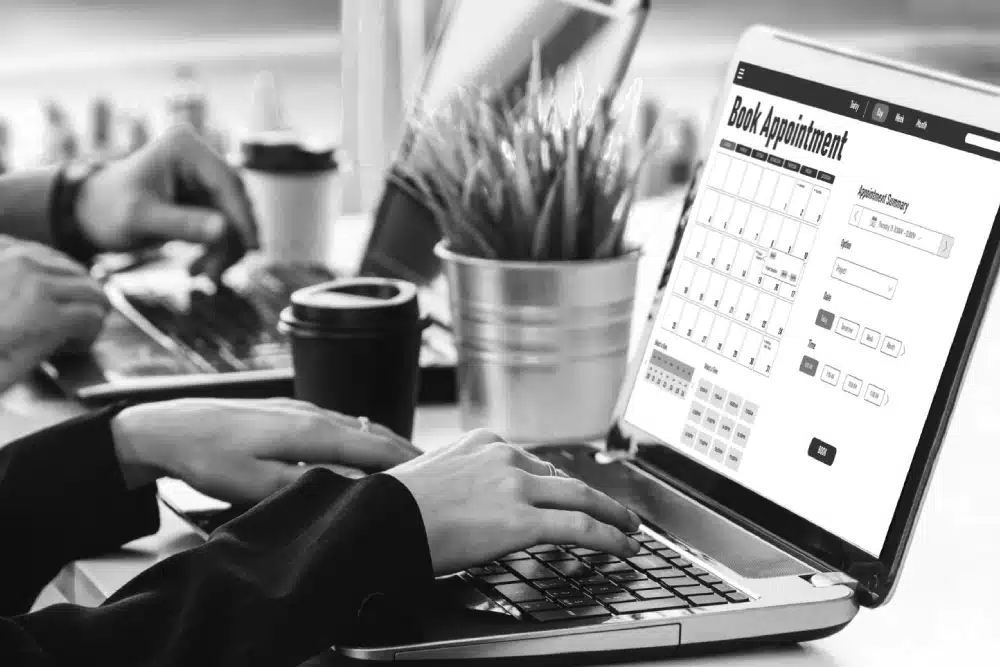
Are you planning a booking website for your business but unsure which features it needs? Want to make it easier for customers to book appointments, reserve services, and manage their bookings online?
You’ll discover the essential features of a professional booking website in this blog post.
Here’s a summary of what’s covered:
- User-Friendly Booking System With Simple Navigation
- Real-Time Availability and Appointment Scheduling
- Mobile-Friendly and Responsive Website Design
- Secure Online Payments and Flexible Payment Options
- Automated Booking Confirmations and Reminders
- Customer Accounts and Booking Management
- Customisable Booking Forms and Service Options
- Calendar Integration and Availability Management
- Clear Cancellation and Rescheduling Options
- Professional Design That Builds Trust and Encourages Bookings
Check out the post below for more.
Introduction
A professional booking website should do much more than display your services and provide a contact form. It should give customers a convenient way to check availability, select their preferred appointment or service, and complete a booking without unnecessary delays. Whether you operate a salon, fitness studio, consultancy, accommodation business, or appointment-based service, your website should make the entire process straightforward.
Customers increasingly expect the convenience of booking online whenever it suits them. They do not necessarily want to telephone during business hours, wait for an email response, or exchange several messages before confirming an appointment. A well-designed booking website removes these obstacles while giving your business greater control over its schedule and customer information.
However, not every booking website provides the same experience. A confusing interface, inaccurate availability, complicated payment process, or lack of confirmation can quickly discourage potential customers. The most effective booking websites combine practical functionality with professional design, helping visitors feel confident throughout the booking process.
Understanding which features matter most will help you create a website that supports your daily operations, reduces unnecessary administration, and encourages more customers to complete their bookings. Below are ten essential features every professional booking website should consider.
User-Friendly Booking System With Simple Navigation
The booking system is the most important part of any booking website. If customers struggle to understand how to make a reservation, they may abandon the process before completing it. A professional booking website should provide a clear, logical journey that guides visitors from selecting a service to receiving confirmation. Every stage should feel straightforward, with no unnecessary distractions or confusing instructions.
Customers should be able to identify what they want to book, understand the available options, and proceed without needing assistance. The layout should make important information easy to find, including service descriptions, appointment durations, prices, and booking buttons. Keeping the interface simple helps customers make decisions quickly while reducing the likelihood of mistakes.
- Position prominent booking buttons throughout the website so visitors can easily begin the reservation process.
- Guide customers through service selection, availability, personal details, and confirmation in a logical order.
- Display service names, descriptions, durations, and prices clearly before customers proceed.
- Only request information required to complete the booking, reducing frustration and abandoned reservations.
Real-Time Availability and Appointment Scheduling
One of the biggest advantages of a professional booking website is the ability to display available appointments or reservation slots automatically. Customers should not have to submit an enquiry and wait for someone to confirm whether their preferred time is available. Instead, the website should present accurate availability based on the business’s current schedule.
Real-time scheduling also helps prevent double bookings and unnecessary administrative work. When an appointment is confirmed, the relevant time slot should automatically become unavailable to other customers. This creates a more reliable booking experience while allowing businesses to manage appointments, staff schedules, and service capacity more efficiently.
- Display available dates and times based on the latest information within the booking system.
- Remove booked appointments from availability to reduce the risk of overlapping reservations.
- Allow different services to have appropriate booking lengths based on their individual requirements.
- Configure minimum notice periods, advance booking limits, and unavailable dates to maintain control over scheduling.
Mobile-Friendly and Responsive Website Design
A significant proportion of customers will access your booking website using a smartphone or tablet. They may be searching for an appointment during their lunch break, checking availability while travelling, or making a reservation outside normal business hours. Your website must therefore provide the same straightforward booking experience regardless of the device being used.
Responsive website design ensures that layouts, booking forms, calendars, and buttons adjust to different screen sizes. Customers should never need to zoom in repeatedly, scroll sideways, or struggle with small interactive elements. A mobile-friendly booking website makes the process more comfortable and accessible, helping visitors complete reservations without unnecessary frustration.
- Ensure booking pages automatically adapt to smartphones, tablets, laptops, and desktop computers.
- Use appropriately sized buttons, calendar selections, and form fields that are easy to operate on mobile devices.
- Present service details, prices, and availability clearly without requiring excessive zooming or scrolling.
- Make sure customers can complete every stage of the booking process on mobile devices without losing important features.
Secure Online Payments and Flexible Payment Options
Many booking websites benefit from allowing customers to pay online when making a reservation. Depending on the business, this could involve collecting full payment, requesting a deposit, or offering payment on arrival. Integrating payments into the booking process can reduce administrative work and provide greater certainty around confirmed reservations.
Customers also need confidence that their payment information is being handled securely. A professional booking website should use trusted payment providers, encrypted connections, and clear pricing information. Unexpected charges or confusing payment instructions can discourage customers from completing their bookings, so transparency is particularly important.
- Connect the booking website to established payment providers that support secure online transactions.
- Offer full payments, deposits, or payment-on-arrival options where appropriate for the business.
- Clearly display service costs, deposits, additional charges, and payment conditions before checkout.
- Use HTTPS and appropriately managed payment processing to protect sensitive customer information.
Automated Booking Confirmations and Reminders
Customers want reassurance that their booking has been received and confirmed successfully. Without clear confirmation, they may become uncertain about whether the reservation was completed, leading to unnecessary telephone calls, emails, or duplicate bookings. Automated notifications help eliminate this confusion by providing immediate information after a reservation is made.
Booking reminders are equally valuable because they help customers remember upcoming appointments and prepare for their visit. Depending on the booking system, notifications can be delivered by email or SMS and customised to include relevant information. These automated communications improve the customer experience while reducing the amount of manual administration required.
- Automatically send customers their reservation details after a booking has been successfully completed.
- Schedule email or SMS reminders before upcoming appointments to help reduce forgotten bookings.
- Include dates, times, locations, service details, and relevant instructions within confirmation messages.
- Adjust the wording, timing, and branding of automated communications to reflect the business.
Customer Accounts and Booking Management
A professional booking website can provide additional convenience by allowing customers to access and manage their reservations through a dedicated account area. This is particularly useful for businesses that receive repeat bookings, offer multiple services, or manage ongoing customer relationships. Rather than contacting the business whenever they need information, customers can access relevant details independently.
Customer accounts can also simplify future bookings by securely retaining appropriate profile information and booking history. However, account registration should not create unnecessary obstacles for first-time visitors. Where suitable, offering guest bookings alongside optional customer accounts provides flexibility while maintaining a convenient experience for returning customers.
- Allow customers to view upcoming appointments, previous reservations, and relevant booking information.
- Make it easier for returning customers to book familiar services without repeatedly entering the same details.
- Protect customer information through appropriate authentication and account security measures.
- Allow customers to complete reservations without creating an account when registration is not essential.
Customisable Booking Forms and Service Options
Different businesses require different information when accepting bookings. A personal trainer may need to know a customer’s fitness goals, while a beauty salon might need details about the treatment being requested. A professional booking website should accommodate these requirements through customisable forms and service selections rather than forcing every business into an identical booking process.
The key is to collect useful information without overwhelming customers. Forms should adapt to the service being booked and request only relevant details. Providing appropriate options during the booking process can also help customers select the correct service, appointment duration, staff member, or additional requirements before confirming their reservation.
- Display relevant questions and fields based on the appointment or service selected.
- Allow customers to choose available service variations, durations, staff members, or additional requirements.
- Show additional questions only when they are relevant to the customer’s previous selections.
- Highlight missing or incorrectly entered information so customers can resolve problems before submitting.
Calendar Integration and Availability Management
Managing appointments across different calendars can become complicated, particularly when businesses have multiple staff members, locations, or service providers. A professional booking website should help centralise scheduling and provide a clear overview of upcoming reservations. Calendar integration can make it easier to coordinate appointments while reducing the need to update several systems manually.
Depending on the booking platform, businesses may be able to connect their scheduling system with external calendars such as Google Calendar or Microsoft Outlook. This can help maintain visibility across different commitments and, where supported, synchronise availability. Effective calendar management gives business owners greater control over their working hours and reduces the risk of scheduling conflicts.
- Connect compatible booking systems with existing calendars to simplify appointment management.
- Configure individual working hours, breaks, holidays, and appointment schedules for different team members.
- View upcoming reservations and appointment details through an organised management dashboard.
- Adjust availability, block unavailable periods, and update working hours when business requirements change.
Clear Cancellation and Rescheduling Options
Plans change, and customers occasionally need to cancel or rearrange appointments. A professional booking website should make these processes straightforward while protecting the business from unnecessary disruption. If customers cannot easily find cancellation information or understand how to change a reservation, they may become frustrated or simply fail to attend.
Providing clear cancellation and rescheduling options creates a more transparent customer experience. Businesses can establish appropriate notice periods, define cancellation conditions, and allow customers to make permitted changes online. Automated updates can then reflect these adjustments within the booking system, helping maintain accurate availability and reducing manual administration.
- Allow customers to cancel eligible reservations through a straightforward process.
- Provide customers with available alternative dates and times when changes are permitted.
- Explain notice requirements, deposit conditions, and any applicable cancellation charges before booking.
- Return cancelled appointment slots to the booking calendar when appropriate so other customers can reserve them.
Professional Design That Builds Trust and Encourages Bookings
A booking website needs to function reliably, but its appearance also plays an important role in customer confidence. Visitors often form an impression of a business within seconds of arriving on its website. An outdated design, inconsistent layout, or confusing presentation can create uncertainty, even when the underlying booking system works correctly.
Professional booking website design should combine attractive visuals with clear information and a consistent user experience. Branding, typography, colours, imagery, and page layouts should work together to communicate credibility. Customers should feel confident about the business, understand what they are booking, and recognise how to complete their reservation without hesitation.
- Use coordinated colours, typography, imagery, and visual elements throughout the website.
- Provide professional descriptions, relevant images, and transparent pricing to help customers make informed decisions.
- Include genuine customer reviews, business contact information, and relevant credentials where appropriate.
- Position clear booking buttons in logical locations to encourage visitors to complete their reservations.
Conclusion
A professional booking website is an important investment for businesses that rely on appointments, reservations, or scheduled services. By combining straightforward navigation, accurate availability, secure payments, automated communications, and effective booking management, you can create a website that makes life easier for both customers and staff.
The most successful booking websites remove unnecessary complications from the reservation process. Customers can find the information they need, select suitable appointments, and complete bookings confidently, while businesses benefit from improved scheduling, reduced administration, and greater control over their availability.
Professional design is equally important because customers need to trust the business before committing to a reservation. A website that looks credible, performs reliably, and provides a smooth booking experience can encourage more visitors to become paying customers.
By incorporating these ten essential features into your booking website, you can build a more efficient online reservation system that supports your business operations and delivers a better customer experience. The result is a professional website that does more than accept bookings: it helps your business operate more effectively and provides a stronger foundation for future growth.

Author:
Mark Ford

How an Online Booking Website Can Save Your Business Time and Money
Are you spending too much time managing appointments, answering booking enquiries, and updating your diary manually? Want to discover how an online booking website can reduce your workload, lower your operating costs, and make your business more efficient? […]
What Is a Booking Website and How Can It Benefit Your Business?
Are you spending too much time managing appointments, responding to booking enquiries, or keeping track of customer availability? Want to discover how a professional booking website could simplify your business operations and make it easier for customers to book your services? […]