
Are you trying to improve the performance of your Google Ads campaigns? Want to learn which key metrics will help you track success and boost ROI?
You’ll find some Google Ads basics in this infographic.
Here’s a summary of what’s covered:
- Impressions
- Clicks
- Click-Through Rate (CTR)
- Conversion
- Cost
- Average Position
Check out the post below for more.
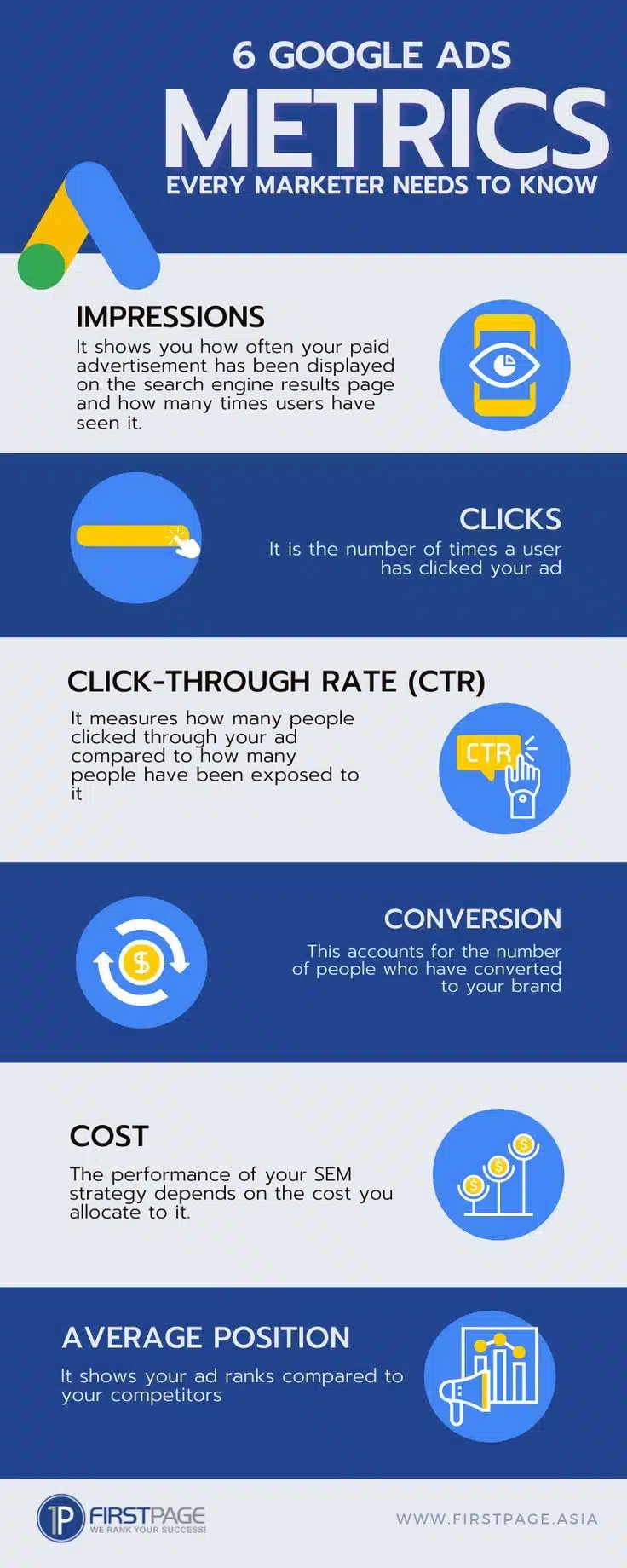
Running a successful Google Ads campaign isn’t just about launching ads and hoping for clicks. It’s about understanding the data that tells you whether your campaigns are actually working. By tracking the right metrics, marketers can make smarter decisions, adjust strategy, and ultimately improve ROI.
In this post, we’ll explore six essential Google Ads metrics every marketer should monitor—and how to use them to your advantage.
Impressions
Impressions tell you how many times your ad has been displayed on the search engine results page (SERP). While impressions alone don’t guarantee clicks or conversions, they give you a sense of your ad’s visibility. High impressions with low engagement may indicate targeting issues or weak messaging. Tracking impressions is the first step in understanding reach.
- Track impressions to measure brand visibility across campaigns.
- Compare impression volume with targeting settings to refine reach.
- Use impression share to understand how often your ad shows compared to competitors.
- Monitor spikes or drops in impressions to detect technical or budget-related issues.
Clicks
Clicks show how many users found your ad compelling enough to engage. A high click volume often reflects a well-written ad with strong appeal. However, clicks without conversions could suggest poor landing page experience or misaligned targeting. Monitoring clicks helps you assess the effectiveness of your ad copy and relevance.
- Focus on the relationship between clicks and your ad’s call-to-action.
- Track which ads or campaigns deliver the highest click numbers.
- Use A/B testing to compare click performance between variations.
- Investigate campaigns with high clicks but low conversions to improve targeting or landing pages.
Click-Through Rate (CTR)
Click-through rate is the percentage of people who clicked your ad after seeing it. It’s a key metric for measuring relevance—how well your ad matches the user’s intent. A high CTR generally indicates that your messaging resonates, while a low CTR may call for better copy or more precise targeting. CTR helps bridge the gap between impressions and engagement.
- Improve CTR by aligning ad copy with keyword intent.
- Use ad extensions to increase visibility and encourage clicks.
- Regularly review and refresh underperforming ads to boost CTR.
- Segment campaigns by device or audience to identify CTR trends.
Conversion
Conversions track the number of users who take a desired action after clicking your ad, such as making a purchase or filling out a form. It’s the clearest measure of campaign success in terms of business impact. A campaign with high conversions is hitting the right audience with the right message. Use this metric to guide budgeting and bid strategies.
- Set up proper conversion tracking in Google Ads and Analytics.
- Define clear conversion goals relevant to your business (e.g., leads, sales).
- Optimise landing pages to increase post-click conversion rates.
- Review conversion paths to understand user behaviour and drop-off points.
Cost
Cost metrics give you insight into how much you’re spending and whether that spend is justified. Tracking overall cost and cost-per-click (CPC) helps you evaluate budget efficiency. Without monitoring cost, it’s easy to overspend on underperforming ads. This metric is essential for maintaining profitability in paid campaigns.
- Monitor cost-per-click to control your average spending per visitor.
- Use cost data to pause or adjust high-spending, low-return campaigns.
- Calculate cost-per-conversion to evaluate campaign profitability.
- Compare actual spend against budget forecasts to avoid overspending.
Average Position
Average position tells you where your ad ranks on the search results page compared to competitors. Although this metric has been phased out in favour of impression share and top-of-page rate, it still helps in understanding visibility. Ranking higher can lead to more impressions and clicks—but also higher costs. Balance position with ROI for the best results.
- Use top-of-page and absolute top-of-page rates as position indicators.
- Avoid overbidding just to achieve a higher position—focus on ROI.
- Test whether lower ad positions still deliver acceptable conversions.
- Monitor position trends to stay competitive without overspending.
Conclusion
Tracking the right Google Ads metrics is the difference between guesswork and growth. While impressions and clicks show visibility and engagement, metrics like CTR, conversions, cost, and average position reveal how well your campaigns are really performing. The key is not just to watch these numbers—but to act on them.
By using these six essential metrics as your guide, you’ll be better equipped to optimise campaigns, allocate budget effectively, and ultimately deliver better results for your business. Whether you’re a solo marketer or managing multiple accounts, keep these metrics in focus to ensure your Google Ads strategy stays sharp and successful.

Author:
Mark Ford