

Is your WordPress site loading slower than you’d like? Want to discover the best tools to boost your site’s speed and performance?
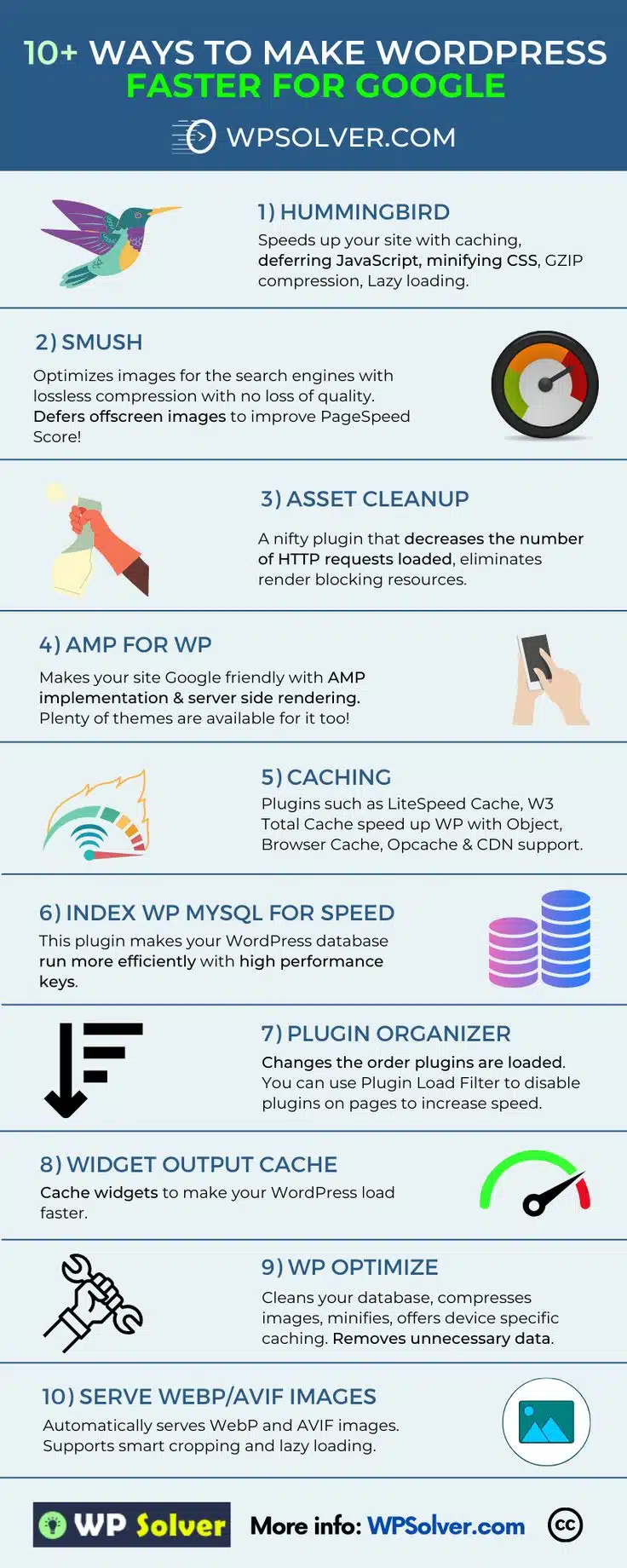
You’ll find some WordPress basics in this infographic from WP Solver.
They break things down as follows:
- Hummingbird
- Smush
- Asset Cleanup
- AMP for WP
- Caching
- Index WP MySQL for Speed
- Plugin Organizer
- Widget Output Cache
- WP Optimize
- Serve WebP/AVIF Images
Check out the post below for more.
Speed isn’t just a luxury anymore — it’s a necessity. If your WordPress site takes too long to load, you’re not just frustrating your visitors, you’re also hurting your search engine rankings. Google now prioritises performance in its algorithm, meaning slower sites are less likely to show up in top search results. Whether you’re running a blog, an online store, or a business website, speed could be the difference between a bounce and a conversion.
The good news? WordPress has no shortage of powerful plugins and optimisation tools designed to boost your website’s performance. In this post, we’ll walk you through the best solutions to help you cut load times, improve user experience, and stay in Google’s good books — all without needing to be a tech wizard.
Hummingbird
Hummingbird is a performance optimisation plugin that tackles multiple speed-related issues in one go. From caching and compression to deferring scripts, it’s designed to streamline your site’s front and back end performance. If your WordPress site feels sluggish, this tool can make an instant difference. It’s user-friendly and highly customisable, making it a favourite among site owners.
- Enable GZIP compression to reduce the size of files sent from your server to increase load speed.
- Use lazy loading to prevent all images from loading at once and instead load them as users scroll.
- Defer JavaScript execution so it doesn’t block the initial page rendering.
- Minify CSS files to reduce their size and remove unnecessary characters.
Smush
Smush is a powerful image optimisation plugin that helps you serve high-quality images without slowing down your site. It compresses images without losing visual quality and improves performance by handling offscreen content. Visual-heavy websites will benefit massively from this tool. It’s also compatible with most themes and page builders.
- Activate lossless compression to reduce image file sizes while maintaining quality.
- Enable lazy loading for images to defer loading until they’re in view.
- Use the bulk smush feature to optimise multiple images in one go.
- Automatically scale images to the correct display size using the plugin’s resizing feature.
Asset Cleanup
Asset Cleanup is a plugin that allows you to take control over what scripts and styles load on each page. By reducing unnecessary HTTP requests, you can dramatically decrease load time and remove bottlenecks. It’s ideal for sites with lots of plugins or complex themes. Cleaner, leaner pages result in faster browsing and better SEO.
- Disable unused CSS and JavaScript files on specific pages to reduce clutter.
- Unload plugin assets on pages where they aren’t needed to streamline load times.
- Combine multiple CSS and JS files to reduce the number of requests.
- Minify assets directly in the plugin to further improve performance.
AMP for WP
AMP (Accelerated Mobile Pages) for WP makes your WordPress site lightning-fast on mobile devices. With server-side rendering and a mobile-optimised framework, it improves user experience and Core Web Vitals. If mobile traffic is important to your business, this tool is a must. It also integrates with popular themes and plugins seamlessly.
- Enable server-side rendering to cut down mobile load times.
- Choose from AMP-ready themes to ensure full compatibility.
- Set up analytics tracking specifically for AMP pages to measure performance.
- Configure AMP caching to serve mobile pages instantly to repeat users.
Caching
Caching is a foundational performance strategy for any WordPress site. It reduces server load and speeds up delivery by storing copies of pages and files. Tools like LiteSpeed Cache and W3 Total Cache make implementation simple. Whether you’re running a blog or an eCommerce site, caching delivers measurable results.
- Enable object caching to speed up database-driven queries.
- Use browser caching so returning visitors load your site faster.
- Activate CDN integration to serve assets from the closest data centre.
- Enable opcode caching like OPcache to optimise PHP performance.
Index WP MySQL for Speed
This plugin focuses on optimising your WordPress database, which often gets bloated over time. Index WP MySQL for Speed uses high-performance keys to reduce query load and improve efficiency. For sites with a lot of content or traffic, this can offer a serious performance boost. It works quietly in the background but delivers noticeable results.
- Install the plugin and enable high-performance indexing for core database tables.
- Monitor database query speeds using performance reports.
- Clean up unused data before reindexing to maximise improvements.
- Schedule regular database maintenance to keep your site running efficiently.
Plugin Organizer
Too many plugins loading unnecessarily can slow down your WordPress site. Plugin Organizer gives you control over when and where each plugin runs. This means you can streamline performance by only loading what’s needed per page. It’s especially useful for complex or multi-functional websites.
- Use the Plugin Load Filter to disable plugins on specific pages or posts.
- Prioritise performance-heavy plugins to load later or conditionally.
- Group plugins by type or function to manage them more easily.
- Test load order variations to identify the most efficient configuration.
Widget Output Cache
Widgets can be surprisingly resource-intensive, especially when they rely on dynamic data. Caching widget output ensures that your server isn’t reprocessing the same content for every visitor. This improves load times and reduces database queries. It’s a simple solution with big performance gains for widget-heavy themes.
- Enable widget caching in your theme or plugin settings.
- Use a cache expiration strategy to ensure content stays updated.
- Avoid real-time data widgets on high-traffic pages unless absolutely necessary.
- Monitor performance before and after enabling widget cache to evaluate impact.
WP Optimize
WP Optimize is a multi-functional plugin that handles database clean-up, image compression, and caching. It’s perfect for decluttering your site and ensuring it runs smoothly. It also includes automatic optimisation options to keep everything running in the background. Whether your site is new or established, this tool can help.
- Schedule automatic database cleanups to remove unnecessary data like post revisions.
- Enable image compression to keep your media files lean and efficient.
- Turn on device-specific caching to serve tailored content more quickly.
- Minify HTML, CSS, and JavaScript for faster loading pages.
Serve WebP/AVIF Images
Modern image formats like WebP and AVIF offer smaller file sizes and faster loading without sacrificing quality. Serving these formats automatically helps improve performance across all devices. These formats also support features like smart cropping and lazy loading. Making the switch is easier than ever with the right tools.
- Use a plugin that automatically converts images to WebP or AVIF on upload.
- Enable lazy loading to reduce initial page weight and boost speed.
- Configure fallback formats for browsers that don’t support these newer types.
- Optimise images before upload for best results across all formats.
Final Thoughts
Speed matters. A fast WordPress site not only improves user experience but also boosts your rankings, reduces bounce rates, and keeps visitors coming back. With the right mix of tools—from image optimisers and caching plugins to database cleaners and AMP solutions—you can transform your site from sluggish to snappy.
Choose the tools that best fit your site’s needs, implement them with care, and monitor performance regularly. By combining the plugins and techniques covered in this post, you’ll create a lightning-fast website that’s ready to impress both users and search engines.

Author:
Mark Ford

Designing for Humans: The Psychological Role of Colour in Web Design
Are you confident that the colours on your website are supporting how users feel, think and behave when they arrive? Have you ever wondered why some websites feel instantly trustworthy and intuitive, while others create friction without any obvious reason? […]



