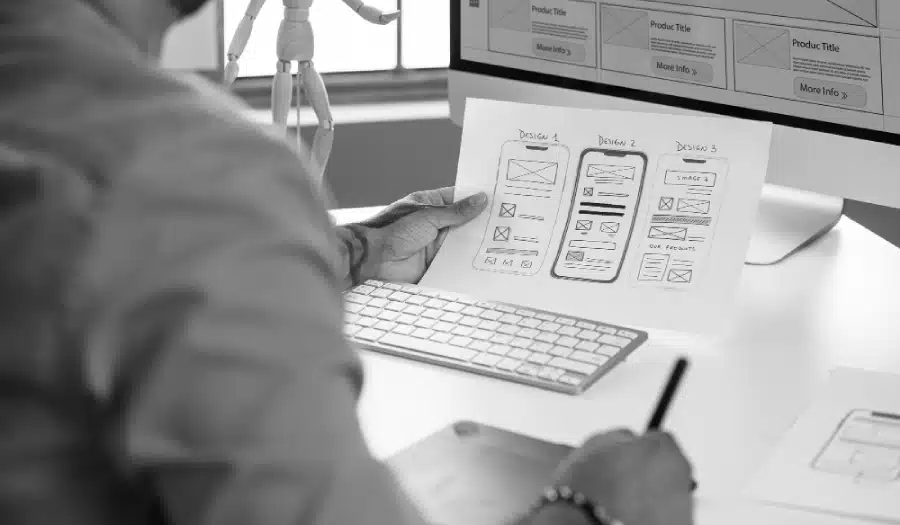
Are you considering your web design plan of attack for 2022? Want to learn what’s hot and what’s not in terms of web design trends?
We share 22 new, continuing, and old trends to consider in this infographic.
Here are the trends to consider:
- Dynamic Content
- Voice activated Interface
- Accessibility and Availability
- Micro animations
- Thumb-friendly Mobile Design
- Clear Message on Focus
- Data Visualisation
- Dark Mode
- Frosted Glass Effect
Check out the infographic for more detail.
![22 Web Design Best Practices for 2022: New & Old Trends to Adopt & Ditch [Infographic]](https://red-website-design.co.uk/wp-content/uploads/22-Web-Design-Best-Practices-for-2022-New-Old-Trends-to-Adopt-Ditch.jpg)
Web design is a constantly evolving field, and to stay competitive, it’s crucial to stay informed about the latest trends and best practices. In this comprehensive guide, we’ll delve deeper into 22 web design best practices for 2022, offering more detailed insights into both new and old trends that you should consider adopting or ditching to create a user-friendly and visually appealing website.
1. Mobile-First Design
With mobile devices accounting for the majority of web traffic, adopting a mobile-first design approach is imperative. This means designing your website with mobile devices as the primary consideration, ensuring that it’s fully responsive and functions seamlessly on all screen sizes. Prioritize touch-friendly elements and intuitive navigation for an optimal mobile user experience.
2. Minimalist Design
Minimalism continues to be a dominant trend in web design. Embrace clean, clutter-free layouts, and focus on essential elements. Minimalist design enhances user experience by reducing distractions, increasing visual hierarchy, and improving loading times. Utilize generous white space, simple color palettes, and concise content to achieve a minimalist look.
3. Dark Mode
Dark mode is not just a trendy design choice; it also offers practical benefits. It reduces eye strain in low-light conditions, making it a popular choice among users. Implement a dark mode option on your website to enhance accessibility and cater to users’ preferences.
4. Microinteractions
Microinteractions are small, subtle animations and feedback mechanisms that engage users and provide visual cues. They can include hover effects, button animations, and loading indicators. These microinteractions improve user engagement and guide visitors through your website, making the overall experience more enjoyable and intuitive.
5. Voice User Interface (VUI)
Voice user interfaces (VUIs) are on the rise, thanks to the increasing use of voice assistants like Siri and Alexa. Make your website voice-search-friendly by optimizing content for voice queries and ensuring that voice commands can access key features or information on your site.
6. Accessibility
Web accessibility should be a non-negotiable aspect of your web design strategy. Ensure your website complies with the Web Content Accessibility Guidelines (WCAG) to make it accessible to all users, regardless of disabilities. This includes providing alternative text for images, keyboard navigation, and ensuring compatibility with screen readers.
7. Speed Optimization
Page load times are critical for user satisfaction and search engine rankings. Optimize your website’s performance by compressing images, using browser caching, and minimizing HTTP requests. Implement lazy loading to load content as users scroll, reducing initial load times.
8. Scroll Triggered Animations
Engaging users as they scroll through your site can be achieved by incorporating scroll-triggered animations and effects. These dynamic elements add depth and interactivity to your website, making it more engaging and visually appealing.
9. Video Backgrounds
Video backgrounds can be a powerful storytelling tool, instantly capturing users’ attention and conveying your message effectively. However, use them judiciously, as excessive use can slow down your site and distract users from your core content. Choose high-quality, relevant videos that complement your brand’s narrative.
10. Custom Illustrations
Stand out from the crowd by investing in custom illustrations. These unique visuals not only add a personal touch to your website but also help convey your brand identity more effectively than generic stock images. Custom illustrations can be tailored to match your brand’s colors, tone, and messaging.
11. 3D Elements
Three-dimensional elements, when used thoughtfully, can create a sense of depth and immersion on your website. Consider incorporating 3D elements to highlight key content, products, or interactive features. These can include 3D product renderings, interactive 3D models, or parallax scrolling effects.
12. Typography
Typography plays a significant role in web design, and selecting the right fonts can make a big difference. Opt for bold and expressive typography that aligns with your brand and message. Experiment with font combinations to create visually appealing text layouts that grab users’ attention.
13. Hamburger Menus
Hamburger menus, characterized by their three horizontal lines, save valuable screen space and simplify navigation, especially on mobile devices. They remain a popular choice for mobile design, but ensure that your menu items are well-organized and easily accessible within the hamburger menu.
14. Minimalistic Navigation
Simplify your navigation menu to make it user-friendly and intuitive. Use clear labels and categorize content logically to help users find what they’re looking for quickly. Employ mega menus or sticky navigation bars for larger websites to enhance navigation efficiency.
15. User-Centric Content
Creating user-centric content is essential for keeping visitors engaged and satisfied. Conduct thorough research to understand your target audience’s needs and pain points. Tailor your content to solve their problems, answer their questions, and provide real value.
16. Storytelling
Storytelling is a powerful way to connect with your audience on a deeper level. Share your brand’s story, mission, and values to make it relatable and memorable. Use storytelling techniques in your web content, such as case studies, testimonials, or narratives that resonate with your audience’s emotions.
17. Dynamic Content Loading
Implement lazy loading and dynamic content loading to enhance site speed. Instead of loading all content at once, load it progressively as users scroll down the page. This approach reduces initial loading times, improves perceived performance, and keeps users engaged.
18. Web Accessibility
Continuing from point #6, web accessibility should be a top priority in your design process. Ensure that your website is designed to accommodate users with disabilities, including keyboard navigation, proper heading structure, and screen reader compatibility. Test your site with accessibility tools and involve users with disabilities in user testing.
19. A/B Testing
A/B testing is a valuable technique for making data-driven decisions about your design elements. Continuously test and refine various aspects of your website, such as call-to-action buttons, headlines, and layout options. By conducting A/B tests, you can optimize user engagement, conversion rates, and overall user satisfaction.
20. Search Engine Optimization (SEO)
SEO remains a cornerstone of online visibility. Stay updated with search engine algorithm changes and incorporate SEO best practices into your design strategy. This includes optimizing meta tags, using descriptive alt text for images, and creating high-quality, keyword-rich content.
21. Secure and Privacy-Focused Design
User data protection is paramount in today’s digital landscape. Implement HTTPS, strong security protocols, and clear privacy policies to build trust with your audience. Ensure that user data is handled securely and transparently, and obtain user consent for data collection when necessary.
22. Social Proof and Trust Signals
To build trust and credibility with your audience, incorporate social proof elements throughout your website. This can include user reviews, ratings, testimonials, trust badges, and mentions from reputable sources. These signals reassure visitors that your brand is reliable and trustworthy.
Ditch These Old Trends
Now that we’ve explored the latest trends, let’s revisit some outdated practices that you should consider abandoning:
1. Flash Content
Flash content is not only outdated but also poses security risks and is unsupported by most modern browsers. Replace any Flash elements on your website with modern, HTML5-based alternatives.
2. Auto-Play Videos with Sound
Auto-playing videos with sound can be disruptive and frustrating for users. Instead, opt for muted auto-play or allow users to initiate video playback when they choose.
3. Overly Complicated Navigation Menus
Complex navigation menus can confuse and frustrate users. Simplify your navigation by using clear labels, intuitive organization, and responsive design.
4. Pop-up Overload
Excessive pop-ups can annoy visitors and hinder their experience. Use pop-ups sparingly and strategically, focusing on providing value or collecting essential information.
5. Non-Responsive Design
In today’s mobile-driven world, non-responsive design is unacceptable. Ensure your website is fully responsive and optimized for all devices to reach a broader audience.
6. Stock Photos Everywhere
Overusing generic stock photos can make your website look uninspired and generic. Invest in custom imagery that aligns with your brand’s unique identity and messaging.
7. Flashy Animations
Flashy animations and effects may distract users from your content and slow down your website. Prioritize usability and performance over visual gimmicks.
8. Long, Dense Blocks of Text
Large blocks of text can overwhelm users and discourage them from reading your content. Break up text with headings, bullet points, and visuals to enhance readability and engagement.
9. Slow Load Times
In today’s fast-paced digital landscape, users expect websites to load quickly. If your site is sluggish, visitors may abandon it before it fully loads. Prioritize performance optimization to keep users engaged.
10. Unreadable Fonts
While unique fonts can add character to your design, prioritize legibility and readability. Ensure that your chosen fonts are easy to read on various screen sizes and maintain consistency throughout your website.
Conclusion
Web design is a dynamic field that requires constant adaptation to evolving trends and technologies. By incorporating these 22 web design best practices for 2022, you can create a website that not only meets the expectations of today’s users but also prepares you for future challenges and opportunities.
Remember that user-centric design, performance optimization, accessibility, and security should always be at the forefront of your web design strategy. Additionally, staying informed about the latest developments in web design and user behavior will help you make informed decisions and continue delivering exceptional user experiences. Keep experimenting, testing, and refining your design to ensure that your website remains relevant and effective in the ever-changing digital landscape.

Author:
Mark Ford

Mastering the Art of the Landing Page: Design, Copy, and Conversion in Harmony
Are you trying to design a landing page that not only looks great but actually converts visitors into customers? Want to learn how to balance design, copy, and strategy to create landing pages that work in perfect harmony? […]