
Are you struggling to get the best results from your Google Ads campaigns? Want to know the biggest mistakes that could be draining your budget and how to fix them?
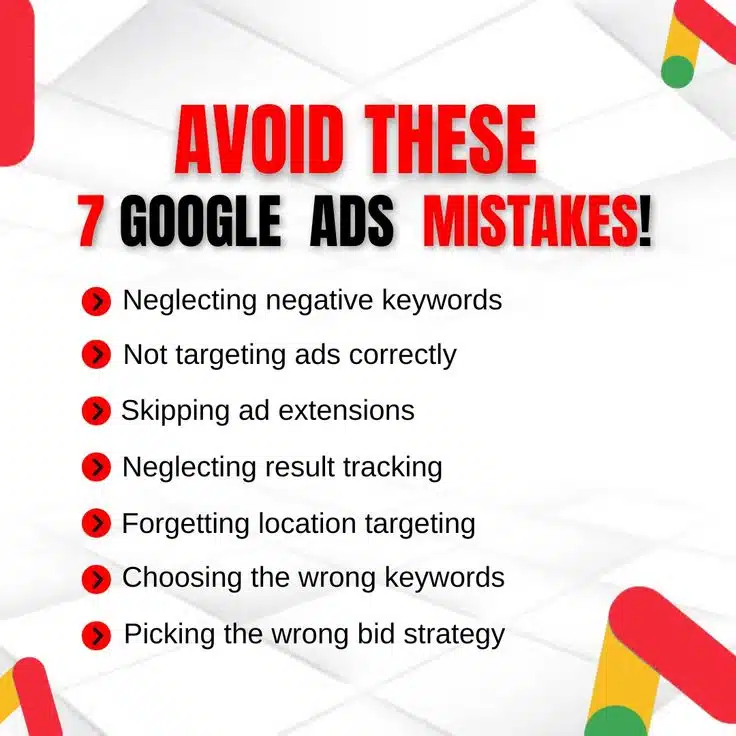
You’ll find the Google Ads mistakes to avoid in this infographic.
Here’s what they cover:
- Ignoring negative keywords
- Incorrect ad targeting
- Skipping ad extensions
- Failing to track results
- Overlooking location targeting
- Choosing the wrong keywords
- Using an ineffective bid strategy
Check out the post for more.
Google Ads can be an incredibly powerful tool for driving traffic and generating leads. However, if your campaigns aren’t properly optimized, you could be wasting money on ineffective strategies.
Many advertisers unknowingly make costly mistakes that reduce their ROI and limit their campaign’s success. In this post, we’ll explore seven common Google Ads mistakes and how you can fix them.
Ignoring Negative Keywords
Negative keywords help prevent your ads from appearing in irrelevant searches. If you’re not using them, you may be spending money on clicks that will never convert. Without proper negative keyword management, your budget gets drained by unqualified traffic. This means fewer conversions and higher costs per lead.
How to fix it:
- Regularly review your search term reports to find irrelevant queries and add them as negative keywords.
- Use broad and phrase match negative keywords to filter out traffic that doesn’t match your intent.
- Avoid wasting ad spend by excluding terms that indicate low purchase intent (e.g., “free,” “cheap,” “DIY”).
- Continuously refine your negative keyword list to improve targeting and increase ROI.
Incorrect Ad Targeting
If you’re not targeting the right audience, your ads may be shown to people who have no interest in your product or service. Poor targeting results in high costs, low engagement, and wasted budget. Many advertisers make the mistake of using overly broad targeting, leading to irrelevant clicks. Precision targeting ensures your ads reach the right people at the right time.
How to fix it:
- Define your ideal customer personas and tailor your audience targeting accordingly.
- Use detailed demographic, geographic, and behavioral targeting to refine your ad reach.
- Leverage remarketing to target users who have already engaged with your website.
- Test different audience segments and analyze performance data to optimize targeting.
Skipping Ad Extensions
Ad extensions enhance your ads by providing additional information, making them more engaging and clickable. If you’re not using them, you’re missing out on valuable real estate in search results. Extensions can improve click-through rates (CTR), increase conversions, and give potential customers more reasons to choose your business. Without them, your ads may look incomplete or unappealing.
How to fix it:
- Use sitelink extensions to highlight key pages like services, pricing, or contact information.
- Add call extensions to make it easy for mobile users to contact you directly.
- Implement structured snippet extensions to showcase product categories or key features.
- Regularly update and test different ad extensions to improve engagement and conversions.
Failing to Track Results
Without proper tracking, you won’t know which campaigns, ads, or keywords are performing well. Many advertisers waste money because they fail to set up conversion tracking correctly. If you’re only looking at clicks and impressions without measuring conversions, you’re missing critical insights. Effective tracking allows you to optimize your budget and improve campaign performance.
How to fix it:
- Set up Google Ads conversion tracking to measure leads, sales, and other key actions.
- Link Google Ads with Google Analytics to gain deeper insights into user behavior.
- Use UTM parameters to track ad performance in Google Analytics.
- Regularly analyze your data to adjust bidding, targeting, and messaging based on performance.
Overlooking Location Targeting
Location targeting is crucial for ensuring your ads reach the right geographical audience. If you’re targeting too broad an area, you may be spending money on people outside your service area. On the other hand, if your targeting is too narrow, you might be missing potential customers. Getting your location settings right can make or break your campaign’s success.
How to fix it:
- Use radius targeting to focus on areas where your ideal customers are located.
- Exclude locations where you don’t offer services to avoid wasted ad spend.
- Adjust bids based on location performance—increase bids for high-converting regions.
- Monitor your location reports and refine targeting based on where conversions occur.
Choosing the Wrong Keywords
Selecting the wrong keywords can lead to wasted ad spend and low-quality traffic. If your keywords are too broad, you might attract irrelevant clicks. If they’re too specific, you may not get enough impressions. Striking the right balance between volume and relevance is essential for a successful Google Ads campaign.
How to fix it:
- Conduct thorough keyword research using Google’s Keyword Planner and other tools.
- Use a mix of broad match modifier, phrase match, and exact match keywords for better targeting.
- Continuously test and refine your keyword list based on performance data.
- Monitor search queries and add new keywords that drive relevant traffic.
Using an Ineffective Bid Strategy
Your bidding strategy plays a crucial role in ad performance. If you’re using the wrong bid strategy, you may be overpaying for clicks or not bidding enough to compete. Many advertisers rely on manual bidding without proper optimization, or they use automated bidding without fine-tuning settings. A well-structured bid strategy ensures maximum return on investment.
How to fix it:
- Choose a bidding strategy that aligns with your campaign goals (e.g., conversions, clicks, impressions).
- Test different bid strategies like Target CPA, Maximize Conversions, or Enhanced CPC.
- Monitor bid adjustments and tweak settings to optimize performance.
- Use automated bidding with clear conversion goals to improve efficiency and reduce costs.
Final Thoughts
Running a successful Google Ads campaign requires constant monitoring, testing, and optimization. Avoiding these seven common mistakes can help you maximize your budget, improve ad performance, and generate better results.
By refining your keyword strategy, enhancing targeting, and leveraging tracking tools, you’ll be well on your way to running profitable Google Ads campaigns. Stay proactive, analyze your data, and make adjustments as needed to ensure ongoing success.

Author:
Mark Ford