
Want to turn your followers into loyal customers through social media? Looking for a simple way to set up a social media shop that drives real results?
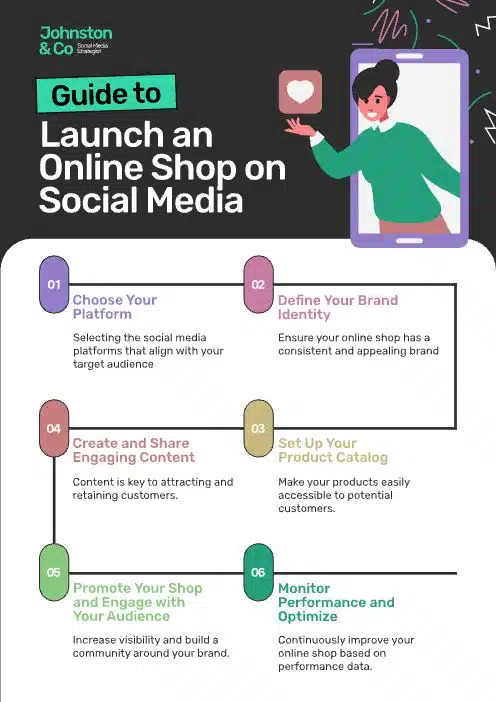
You’ll find some blogging basics in this infographic from Johnston & Co.
It breaks things down as follows:
- Choose Your Platform
- Define Your Brand Identity
- Set Up Your Product Catalogue
- Create and Share Engaging Content
- Promote Your Shop and Engage with Your Audience
- Monitor Performance and Optimise
Check out the post below for more.
In today’s digital-first world, the lines between shopping and socialising are increasingly blurred. More consumers are browsing, discovering, and buying products directly from their favourite social platforms.
For ecommerce brands, setting up a social media shop isn’t just a nice-to-have—it’s a powerful way to boost visibility and drive conversions. In this post, we’ll explore why your brand needs one and how to launch it successfully.
Choose Your Platform
Not all social media platforms are created equal—especially when it comes to ecommerce. Choosing the right one is about understanding where your audience spends their time and how they prefer to shop. Whether it’s Instagram, Facebook, TikTok or Pinterest, your platform should align with your product type and customer behaviour. Starting strong means starting smart.
- Know your audience: Use analytics tools to find out which platforms your customers are most active on.
- Understand platform features: Some platforms offer native shopping tools—Instagram Shops and Facebook Marketplace, for example.
- Assess visual potential: Platforms like Instagram and Pinterest are perfect for highly visual products.
- Consider advertising options: Look for platforms with strong ad targeting and retargeting capabilities.
Define Your Brand Identity
Before selling, make sure your brand looks and feels consistent across platforms. A strong brand identity builds trust, increases recognition, and creates emotional connection. On social media, this identity should translate visually and tonally in every post, product, and interaction. Cohesion is key to standing out and building customer loyalty.
- Use consistent branding: Stick to the same colours, fonts, and tone of voice across all content.
- Write a compelling bio: Your social profile should immediately communicate what your brand is about.
- Optimise your visuals: Ensure your logo, profile picture and cover images are sharp and on-brand.
- Craft a strong value proposition: Let followers know what sets your brand apart—and why they should shop with you.
Set Up Your Product Catalogue
Think of your product catalogue as your digital shop window—it needs to be organised, appealing, and easy to browse. Social media platforms now let you upload entire catalogues with direct links to product pages. The goal is to streamline the shopping experience so users can go from browsing to buying in just a few clicks. Set it up right and it will sell for you 24/7.
- Organise your inventory: Group products by type, collection, or theme for easy navigation.
- Use high-quality images: Clear, attractive photos help products stand out in crowded feeds.
- Add detailed descriptions: Include sizes, colours, materials, and any relevant FAQs.
- Link to product pages: Ensure every listing directs shoppers to a working, mobile-friendly product page.
Create and Share Engaging Content
Your products might be great, but it’s your content that draws people in. Content is how you build awareness, trust, and interest over time. Engaging posts keep your brand top-of-mind and give followers a reason to visit your shop regularly. Think storytelling over sales, entertainment over interruption.
- Post consistently: Build a content calendar and stick to it to stay visible and relevant.
- Use video: Short-form videos and reels are highly engaging and perfect for product demos.
- Leverage UGC: Share customer reviews, photos, and testimonials to build social proof.
- Add calls to action: Encourage followers to browse your shop, leave a comment, or tag a friend.
Promote Your Shop and Engage with Your Audience
Once your shop is live, you need to actively promote it—not just sit back and hope for sales. Social commerce thrives on interaction, so engage with your audience through posts, stories, DMs and comments. The more you connect with them, the more trust and sales you’ll build. Community is currency in the social shopping world.
- Run promotions and offers: Use time-limited discounts to encourage purchases and boost visibility.
- Engage in real time: Respond to comments, messages and mentions to show you’re active and trustworthy.
- Host live shopping events: Go live to demo products, answer questions, and create urgency around limited stock.
- Encourage tagging and sharing: Ask followers to tag friends or share your content to expand your reach.
Monitor Performance and Optimise
You can’t improve what you don’t measure. Analysing your social shop’s performance helps you identify what’s working, what’s not, and where to improve. From engagement rates to conversion metrics, data gives you the power to refine your approach over time. Make optimisation a regular part of your ecommerce strategy.
- Track key metrics: Monitor reach, clicks, engagement, and conversion rates using built-in analytics tools.
- A/B test content: Experiment with different formats, captions, or product placements to see what performs best.
- Review customer feedback: Read comments, reviews and DMs to gather insights and improve customer experience.
- Adjust your strategy: Use data to inform future campaigns, product launches, and content decisions.
Final Thoughts
Selling on social media is no longer just a trend—it’s a strategic necessity for ecommerce brands looking to grow. With the right platform, branding, content, and engagement, a social shop can become one of your most powerful sales channels.
you’re a small business or an established online store, now’s the time to take the leap. Set up your shop, connect with your audience, and turn your followers into customers.

Author:
Mark Ford