Are you worried your WordPress website might have been hacked but not sure what signs to look for? Want to learn the clear indicators that show your WordPress site’s security has been compromised?
You’ll find some WordPress basics in this infographic.
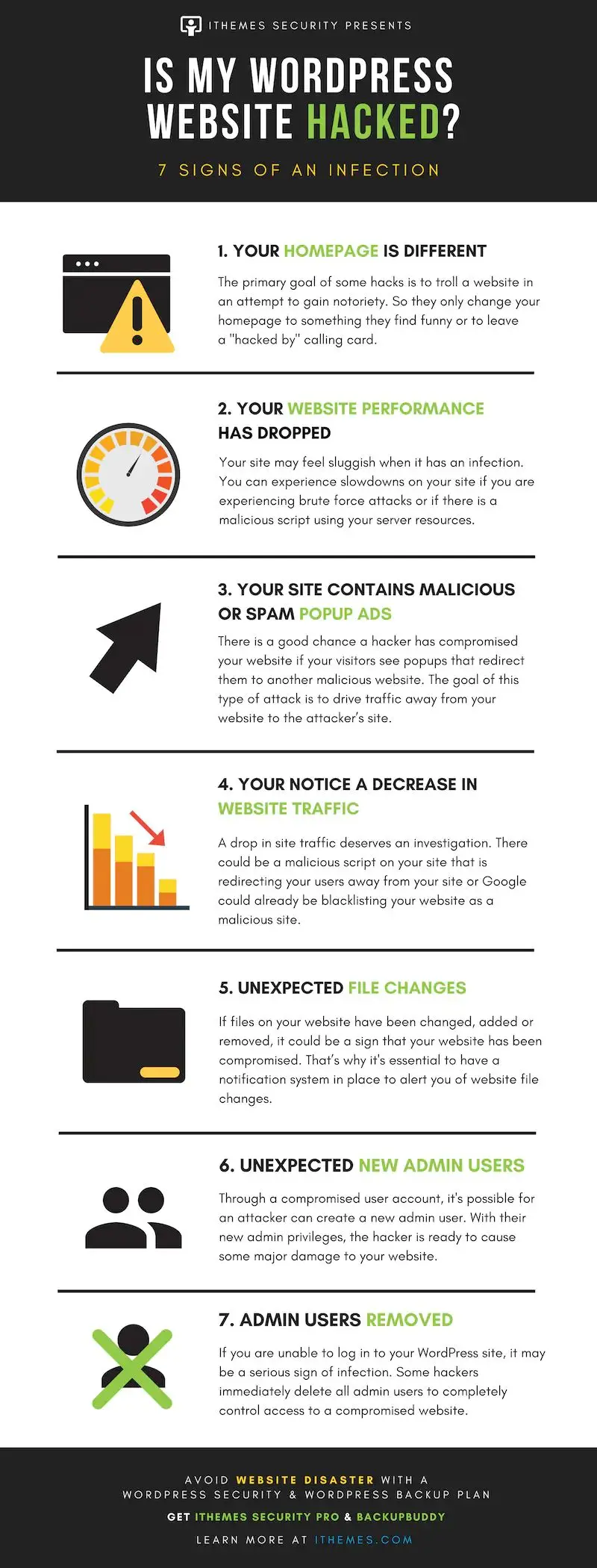
Here’s a summary of what’s covered:
- Your Homepage Looks Different
- Your Website Performance Has Dropped
- Your Site Contains Malicious or Spam Popup Ads
- You Notice a Decrease in Website Traffic
- Unexpected File Changes
- Unexpected New Admin Users
- Admin Users Removed
Check out the post below for more.
Running a WordPress website comes with great flexibility and convenience, but it also makes you a target for cybercriminals. Hackers often exploit vulnerabilities to disrupt sites, steal data, or spread malicious content. The earlier you spot the warning signs of a hack, the faster you can act to protect your business and your visitors.
In this guide, we’ll explore seven clear signs that your WordPress website has been hacked. Each section will outline what to look out for, why it matters, and the practical steps you can take to recover. By being proactive and vigilant, you’ll have the knowledge to secure your site before problems escalate.
Your Homepage Looks Different
One of the most obvious indicators of a hack is a homepage that no longer looks the way you designed it. Hackers often deface websites to show off their skills, share offensive content, or leave behind a “hacked by” message. While it may seem like a prank, it’s a clear warning that your security has been breached.
- Check your homepage regularly for any unauthorised design or content changes.
- Use monitoring tools to alert you to sudden visual or code alterations.
- Keep backups so you can quickly restore your original homepage.
- Treat even small changes as serious—if hackers can alter your homepage, they can do more.
Your Website Performance Has Dropped
A sudden drop in speed or responsiveness can be more than just a hosting issue. Hacked websites often run sluggishly because malicious scripts or brute force attacks are draining server resources. If your site feels unusually slow, it could be a sign of infection.
- Test your site speed with tools like GTmetrix or Google PageSpeed Insights.
- Compare performance trends over time to identify unusual slowdowns.
- Check server logs for spikes in resource usage linked to unknown scripts.
- Work with your host to block brute force attacks and secure vulnerable plugins.
Your Site Contains Malicious or Spam Popup Ads
Popups that you didn’t add are a major red flag. Hackers often inject spammy advertisements or malicious popups to redirect your visitors to unsafe websites. This not only damages your reputation but also drives traffic away from your business.
- Visit your website in an incognito browser to check for hidden popups.
- Scan your WordPress installation for injected scripts or suspicious plugins.
- Remove any unwanted ads immediately to protect user trust.
- Educate visitors not to click on strange popups while you work on recovery.
You Notice a Decrease in Website Traffic
A hacked website can lose traffic quickly, either because users are being redirected elsewhere or because search engines have flagged your site as unsafe. If your analytics show a sudden drop in visitors, it’s time to investigate.
- Monitor Google Analytics for unusual dips in organic or referral traffic.
- Use Google Search Console to check if your site has been blacklisted.
- Run security scans to detect malicious redirects embedded in your site.
- Act quickly to clean your site and request reconsideration from Google if flagged.
Unexpected File Changes
Hackers often alter, add, or delete files on your server to gain control or inject malware. If you notice file changes you didn’t make, this is a strong indicator of compromise. Without monitoring, these changes can go unnoticed for weeks.
- Install a file integrity monitoring plugin to detect unauthorised changes.
- Compare your current files with a clean backup to identify tampering.
- Look for unfamiliar PHP or JavaScript files in your directories.
- Remove suspicious files immediately and restore trusted versions.
Unexpected New Admin Users
When hackers gain access to your site, they often create new administrator accounts to cement their control. These accounts allow them to keep returning even if you change your password. Spotting new users you didn’t add is critical for prevention.
- Regularly review your list of WordPress users for unknown names.
- Restrict admin account creation to trusted team members only.
- Enable email alerts when new users are added to your site.
- Immediately delete suspicious accounts and reset all user passwords.
Admin Users Removed
In some cases, hackers don’t just add accounts—they remove yours entirely. If you suddenly can’t log in to your WordPress site, it could mean your admin privileges have been stripped. This tactic locks you out completely while attackers take control.
- Keep multiple admin accounts to ensure backup access to your site.
- Store login credentials securely in a password manager.
- Contact your hosting provider immediately if locked out—they can restore access.
- Review logs to see when and how your account was removed.
Conclusion
WordPress hacks can cause reputational damage, financial loss, and frustration for site owners. By learning to recognise the signs early—such as homepage changes, unexpected slowdowns, or new admin accounts—you can act before the situation worsens.
Prevention is always better than cure. Regular backups, strong passwords, updated plugins, and proactive monitoring are your best defence. By combining vigilance with security tools, you can reduce your risk and ensure that your WordPress website remains safe, fast, and reliable for all who visit.

Author:
Mark Ford

AIDA in Web Design: The Secret to Building Pages That Persuade and Sell
Are you looking for a way to design web pages that not only look stunning but also persuade visitors to take action? Want to understand how the AIDA model can turn your website into a conversion-focused sales tool rather than just a digital brochure? […]