
Are you making the most of your daily emails to promote your business and build brand awareness? Want to learn how to transform your email signature into a powerful marketing tool that drives clicks, leads, and engagement?
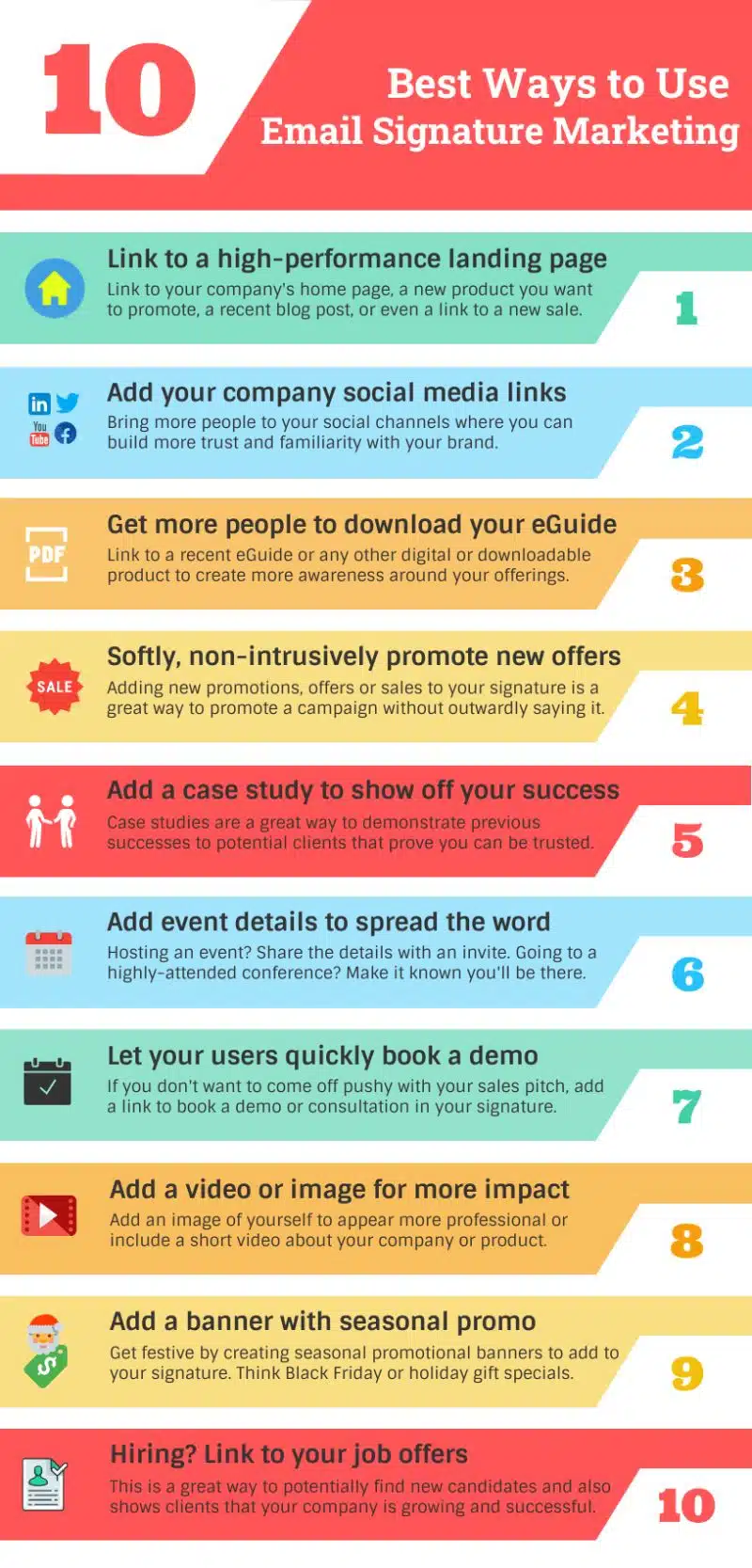
You’ll find some email marketing basics in this infographic.
- Link to a High-Performance Landing Page
- Add Your Company Social Media Links
- Get More People to Download Your eGuide
- Softly, Non-Intrusively Promote New Offers
- Add a Case Study to Show Off Your Success
- Add Event Details to Spread the Word
- Let Your Users Quickly Book a Demo
- Add a Video or Image for More Impact
- Add a Banner with a Seasonal Promo
- Hiring? Link to Your Job Offers
Check out the post below for more.
Your email signature is more than just a sign-off — it’s a prime opportunity to market your business with every message you send. Whether you’re communicating with clients, partners, or prospects, a well-crafted signature can drive traffic, generate leads, and enhance your brand image. When designed strategically, this small piece of real estate at the end of your emails becomes one of the most consistent and effective tools in your marketing arsenal.
Below, we explore ten smart ways to turn your email signature into a professional, conversion-focused marketing tool.
Link to a High-Performance Landing Page
Your email signature should lead people somewhere meaningful — not just to a generic homepage. By directing recipients to a focused landing page, you can guide them toward a specific action, such as learning about a product, downloading a resource, or exploring a new offer. Think of it as an easy, natural extension of your communication that turns curiosity into measurable results.
- Link to a current campaign page or product launch to capture interest while it’s fresh.
- Promote your most recent blog post to encourage regular engagement with your content.
- Test different landing pages over time to see which delivers the best conversions.
- Ensure the page you link to is mobile-friendly and fast-loading for the best experience.
Add Your Company Social Media Links
Including your social media profiles in your email signature helps strengthen your brand presence beyond the inbox. It encourages recipients to connect with you on other platforms where they can learn more about your business, see your updates, and engage with your community. This subtle cross-promotion builds familiarity and keeps your company top of mind.
- Add clickable icons for platforms like LinkedIn, X, Facebook, or YouTube instead of plain URLs.
- Prioritise the platforms where your audience is most active to focus engagement.
- Maintain consistent branding and imagery across all your social channels.
- Track referral traffic from your signature to measure which platforms perform best.
Get More People to Download Your eGuide
If you’ve invested in creating valuable downloadable resources like eGuides, whitepapers, or toolkits, your email signature is a perfect place to share them. This approach offers value to your contacts while promoting your expertise and authority in your field. Over time, these downloads can help nurture leads and drive higher-quality traffic to your website.
- Use a compelling call-to-action such as “Download our free guide” or “Get your copy today.”
- Link directly to the download page or a gated form to capture leads efficiently.
- Highlight the benefit of the guide in one short line beneath the link.
- Keep the design simple — avoid cluttering your signature with too many links or images.
Softly, Non-Intrusively Promote New Offers
Email signature marketing works best when it feels natural. Adding a short line or subtle banner about a current promotion is a smart way to raise awareness without overwhelming your recipients. Whether you’re announcing a discount, sale, or limited-time offer, the key is to make it feel helpful rather than pushy.
- Use soft language like “Explore our latest offer” instead of aggressive sales copy.
- Keep promotional banners small and aligned neatly beneath your contact details.
- Update offers regularly to ensure your messaging stays current.
- Link directly to a landing page or checkout section for quick access.
Add a Case Study to Show Off Your Success
Case studies are powerful trust-builders, and linking to one in your email signature can demonstrate your results in action. They help potential clients see what working with you looks like and provide tangible proof of your reliability and expertise. It’s an unobtrusive yet persuasive way to showcase your business’s success stories.
- Choose one strong, results-driven case study that clearly represents your capabilities.
- Use a concise link description like “See how we helped [Client Name] achieve results.”
- Refresh your linked case study every few months to feature recent achievements.
- Combine this with a testimonial or client logo for added visual impact.
Add Event Details to Spread the Word
If your business regularly hosts webinars, conferences, or training sessions, your email signature can act as a mini-invitation. Adding event details keeps your network informed and encourages attendance without needing to send separate promotional emails. It’s a simple, time-efficient way to extend your event marketing reach.
- Include the event title and date with a direct link to register or learn more.
- Use short, action-oriented text like “Join us at” or “Register for our next session.”
- Remove outdated event details promptly to keep your signature relevant.
- Highlight special guests, speakers, or offers to boost attendance.
Let Your Users Quickly Book a Demo
Streamlining the booking process helps reduce friction for potential customers. Adding a link to book a demo or consultation directly from your email signature makes it easier for prospects to take the next step. It also saves time for your team, as interested contacts can schedule without needing back-and-forth communication.
- Use scheduling tools like Calendly or Microsoft Bookings to automate appointments.
- Label the link clearly, for example, “Book a free demo” or “Schedule a quick chat.”
- Position the booking link beneath your main contact details for easy visibility.
- Monitor how many bookings originate from your email signature to gauge success.
Add a Video or Image for More Impact
Visual elements create a stronger impression and make your signature feel more personal and engaging. A professional headshot adds authenticity, while a short video introduction can humanise your brand and increase credibility. Multimedia elements can also help recipients remember you long after reading your email.
- Use a high-quality professional image that reflects your brand identity.
- Consider embedding a brief introduction video about your company or service.
- Keep the file sizes small to avoid slowing down email load times.
- Ensure all visuals align with your brand colours and tone for a cohesive look.
Add a Banner with a Seasonal Promo
Seasonal promotions are a great way to keep your signature fresh and relevant throughout the year. Adding a festive banner for occasions like Christmas, Black Friday, or New Year sales keeps your emails timely and visually engaging. It also gives your marketing a personal touch that resonates with your audience.
- Design banners that reflect the theme of the season without overpowering the signature.
- Use limited-time CTAs like “Shop the winter sale” to create urgency.
- Rotate banners regularly to maintain audience interest.
- Ensure banners are clickable and link to the relevant seasonal landing page.
Hiring? Link to Your Job Offers
If your business is expanding, your email signature is an excellent way to attract new talent. Linking to your current job openings signals growth and success to clients while encouraging qualified candidates to apply. It’s a discreet yet effective way to support your recruitment efforts alongside your everyday communication.
- Include a short line like “We’re hiring! See open positions here.”
- Link directly to your careers page or the latest job listing.
- Refresh the link as roles are filled or new ones become available.
- Use this opportunity to reinforce your employer brand and company culture.
Conclusion
Your email signature is more than a formality — it’s a low-effort, high-impact marketing asset that can drive awareness, engagement, and conversions every single day.
By optimising this small but powerful element, you can promote key content, encourage connections, and subtly guide recipients toward your business goals. Whether it’s linking to a campaign, sharing an event, or showcasing success stories, every email you send can become a valuable marketing opportunity.
When used strategically, your signature transforms from a simple sign-off into a silent brand ambassador — promoting your business with every click, view, and interaction.

Author:
Mark Ford