Are you trying to create a website that captures attention and keeps visitors coming back? Want to discover the key design elements that make a website both engaging and effective?
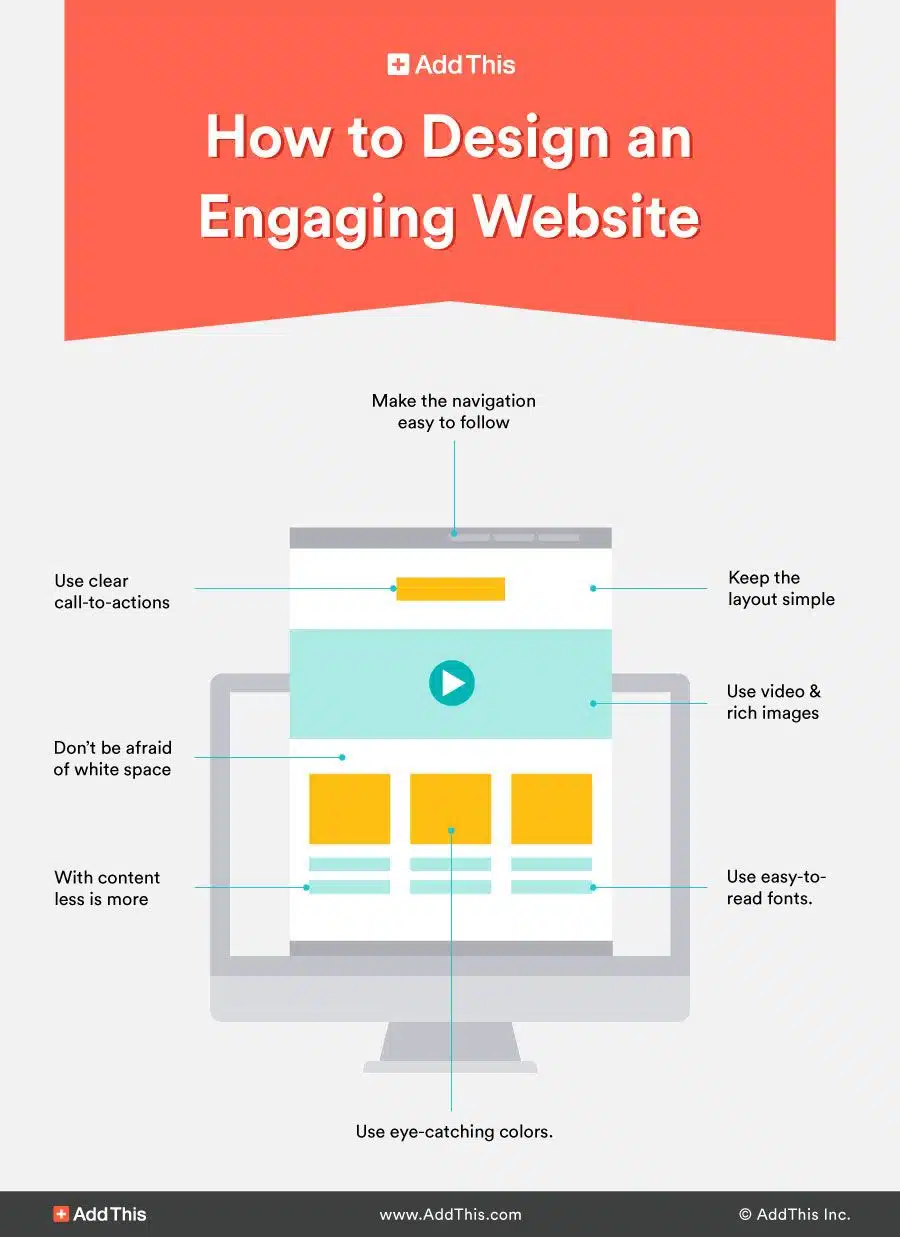
You’ll find some web design basics in this infographic.
Here’s a summary of what’s covered:
- Make the Navigation Easy to Follow
- Use Clear Call-to-Actions
- Keep the Layout Simple
- Use Video and Rich Images
- Use Easy-to-Read Fonts
- Use Eye-Catching Colours
- Don’t Be Afraid of White Space
- With Content, Less Is More
Check out the post below for more.
A website is often the first impression your business makes on potential customers. In today’s digital age, an engaging website isn’t just about looking attractive—it’s about creating a smooth, user-friendly experience that encourages visitors to explore and take action.
The right design elements can boost trust, improve conversions, and make your brand memorable. In this guide, we’ll uncover the secret ingredients of an engaging website design and how you can apply them to your own site.
Make the Navigation Easy to Follow
Navigation is the backbone of your website. If users struggle to find what they’re looking for, they’ll quickly leave and head elsewhere. A clear, structured navigation menu ensures visitors can easily access information, services, or products without frustration. The easier it is to explore, the longer they’ll stay and engage with your content.
- Keep navigation menus short and focused on key pages.
- Use clear, descriptive labels instead of vague terms.
- Add a search function for quick access to specific content.
- Ensure menus are consistent across all pages of your site.
Use Clear Call-to-Actions
Call-to-actions (CTAs) are essential for guiding visitors towards your goals, whether that’s making a purchase, signing up, or contacting you. A well-placed and clearly worded CTA removes uncertainty and makes the next step obvious. Without strong CTAs, even the most beautifully designed site can miss out on conversions.
- Use action-oriented language like “Get Started” or “Book Now.”
- Place CTAs prominently on pages where decisions are made.
- Test different colours and styles to see what converts best.
- Avoid clutter—make sure CTAs stand out visually.
Keep the Layout Simple
Simplicity is one of the golden rules of web design. A cluttered or overly complex layout can overwhelm users and distract them from your core message. By keeping your design clean and streamlined, you make it easier for visitors to absorb content and interact with your site. Simplicity also supports faster load times, which improves the user experience.
- Limit the number of elements on each page.
- Use a grid-based layout for organisation and clarity.
- Stick to a consistent style across all pages.
- Prioritise important information at the top of the page.
Use Video and Rich Images
Visual content is far more engaging than text alone. Videos and high-quality images can capture attention, explain ideas quickly, and showcase products or services in action. When used strategically, they can increase time on site and make your brand feel more relatable. Just ensure they’re optimised for performance to avoid slowing down your pages.
- Use professional, high-resolution images that reflect your brand.
- Add explainer videos to demonstrate products or services.
- Use infographics to simplify complex information.
- Optimise media files for fast loading and mobile use.
Use Easy-to-Read Fonts
Typography plays a huge role in how users experience your website. Fonts that are hard to read or poorly sized can discourage people from engaging with your content. Clear, legible fonts not only improve readability but also help to set the tone of your brand. Your choice of typography should balance style with usability.
- Choose sans-serif fonts for clarity and modern appeal.
- Ensure font sizes are large enough for easy reading.
- Limit yourself to two or three font styles across your site.
- Maintain strong contrast between text and background colours.
Use Eye-Catching Colours
Colour is one of the most powerful design tools for evoking emotions and guiding user behaviour. The right palette can reflect your brand’s personality, create visual interest, and highlight important features such as CTAs. A carefully chosen colour scheme helps make your website more memorable and engaging.
- Select a primary colour palette that represents your brand.
- Use accent colours to draw attention to buttons and links.
- Stick to a limited colour scheme to avoid visual clutter.
- Ensure colours meet accessibility standards for contrast.
Don’t Be Afraid of White Space
White space, also known as negative space, is the empty area around design elements. Many businesses make the mistake of cramming too much information onto one page, but white space creates balance and makes content easier to digest. It directs focus to what matters most and enhances the overall design.
- Surround key elements with space to make them stand out.
- Break up large blocks of text with margins and spacing.
- Use white space to create a sense of elegance and simplicity.
- Avoid filling every gap—let your design breathe.
With Content, Less Is More
When it comes to website content, overwhelming your audience with too much information can backfire. Concise, focused messaging is more likely to hold attention and encourage action. “Less is more” doesn’t mean you should offer less value—it means presenting content in a way that’s clear, engaging, and easy to consume.
- Focus on your audience’s needs, not unnecessary details.
- Break content into short paragraphs and bullet points.
- Use headings and subheadings to structure information.
- Highlight key points with bold text for quick scanning.
Conclusion
An engaging website design is about far more than visual appeal—it’s about creating an experience that feels effortless, inviting, and aligned with your goals. By focusing on clear navigation, simple layouts, strong visuals, easy-to-read fonts, eye-catching colours, and the right balance of content and white space, you can transform your website into a powerful tool for growth.
Every element works together to keep visitors interested, guide them through your pages, and encourage meaningful action. Invest in these secret ingredients, and you’ll have a website that not only attracts attention but also delivers results.

Author:
Mark Ford

Designing for Humans: The Psychological Role of Colour in Web Design
Are you confident that the colours on your website are supporting how users feel, think and behave when they arrive? Have you ever wondered why some websites feel instantly trustworthy and intuitive, while others create friction without any obvious reason? […]